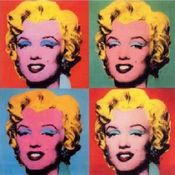
The Image Similarity API compares two images and returns a similarity score between 0 and 1, where higher values indicate greater visual similarity. A score of 1 means the images are identical. A score of 0.9 or higher means that the images are very similar.
Images can be provided via URL or as Base64 encoded data. Formats: JPG, JPEG, PNG, WEBP.
You can also use the trim\_frames parameter to automatically remove the single-color frame from images before comparison.
image1, image2 - Images URLs or Base64-encoded file string in any combination
trim\_frames - if true, then both images will have their one-color frames detected and removed.
Example:
{
“image1”: “[https://m.media-amazon.com/images/I/81T3fwduCOL.jpg](https://m.media-amazon.com/images/I/81T3fwduCOL.jpg)”,
“image2”: “data:image/jpeg;base64,/9j/2wBDAAYEBQYFBAYGBQYHBwY……….”,
“trim\_frames”: true,
}